
Mental model
Understand Branchcut as a query compiler rather than a generic directory walker.
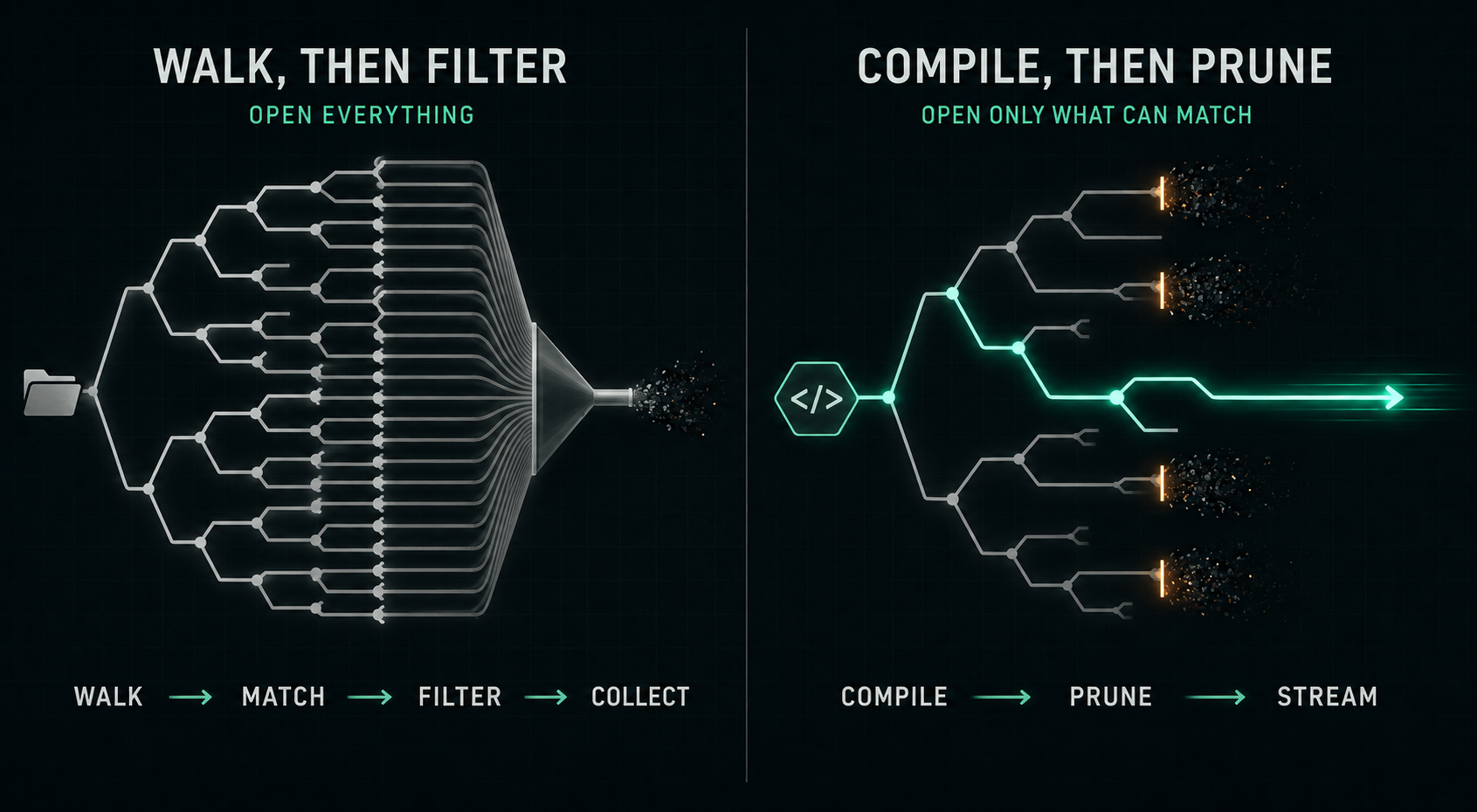
Branchcut is easiest to understand as a small compiler whose target machine is a filesystem traversal.
source query
    │
    ├── positive globs
    ├── exclusions
    ├── file type and extension filters
    ├── hidden and ignore policy
    └── stop conditions
            │
            ▼
      QUERY COMPILER
            │
            ├── traversal root
            ├── shared pattern program
            ├── prune decisions
            ├── leaf filters
            └── output strategy
                    │
                    ▼
              DIRECTORY WALK
The central question
Before opening a directory, Branchcut asks:
Can any active positive pattern still match a descendant of this path?
If the answer is no, the directory is pruned. A safe subtree exclusion can reach the same decision even earlier.
Matching and traversal are one operation
A conventional pipeline often walks every entry and evaluates patterns afterward. Branchcut advances compiled pattern states as path components are discovered. The current states therefore describe both:
- whether the current path is a match;
- whether any descendant can still become a match.
Streaming is the default
Sequential traversal writes matches as they are discovered. This keeps memory bounded and makes --first and --limit genuine termination conditions instead of output truncation.
Sorting changes that contract: --sort must collect all matches before ordering them. Parallel mode also buffers results so one coordinator can serialize output safely.
Files are the default result type
Without --type, Branchcut emits files. Directories and symlinks are available explicitly:
branchcut --glob '**/*' --type dir
branchcut --glob '**/*' --type symlink
Directory symlinks are never followed.